
Zero setup, one screen
No builder, no filters, no ten exports stitched together at 9 p.m. — open the screen and the grid is already populated. The header shows its window (“Based on your last 90 days”); change it and everything recomputes.
Every other reporting tool hands you a report builder — pick a metric, run it, repeat, stitch the answers together yourself. The Management KPIs screen skips all that: you open it, and your whole management picture is already there — occupancy, revenue per pet, lapsed clients, the empty-kennel opportunity — computed from your own data.
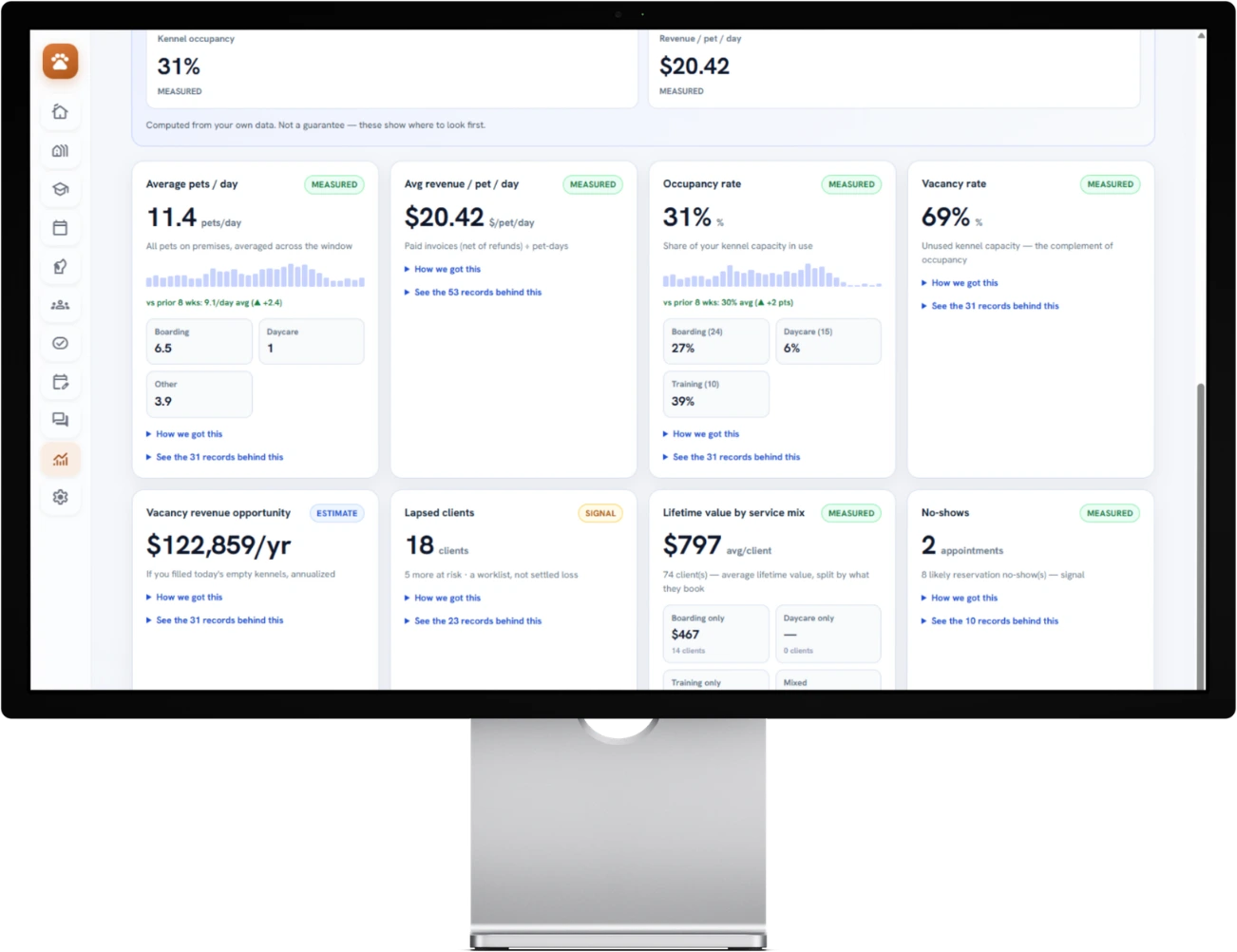
No setup. No field-picking. No “run report” button.
This isn't a dashboard you build — it's the answer, waiting for you. And next to every number, in plain words: is it Measured, an Estimate, or a Signal — with the exact formula and a drill-down to the records behind it. Because a number you can't check isn't worth running your business on.
The established platforms have deep reporting suites — but they're report builders: choose a metric, configure it, run it, repeat, then stitch a management view together by hand. We haven't found another platform that just hands an operator these numbers in one no-setup view. So we built it.
No builder, no filters, no ten exports stitched together at 9 p.m. — open the screen and the grid is already populated. The header shows its window (“Based on your last 90 days”); change it and everything recomputes.
Occupancy uses your actual kennel capacity, not a guessed benchmark. Revenue per pet comes from your paid invoices, net of refunds. Lapsed clients are measured against each client's own visit rhythm — all from data you already generate.
Each card wears a plain-words label — Measured, Estimate, or Signal. “How we got this” shows the formula and source; “See the records” drills into the actual reservations behind it. No black box.
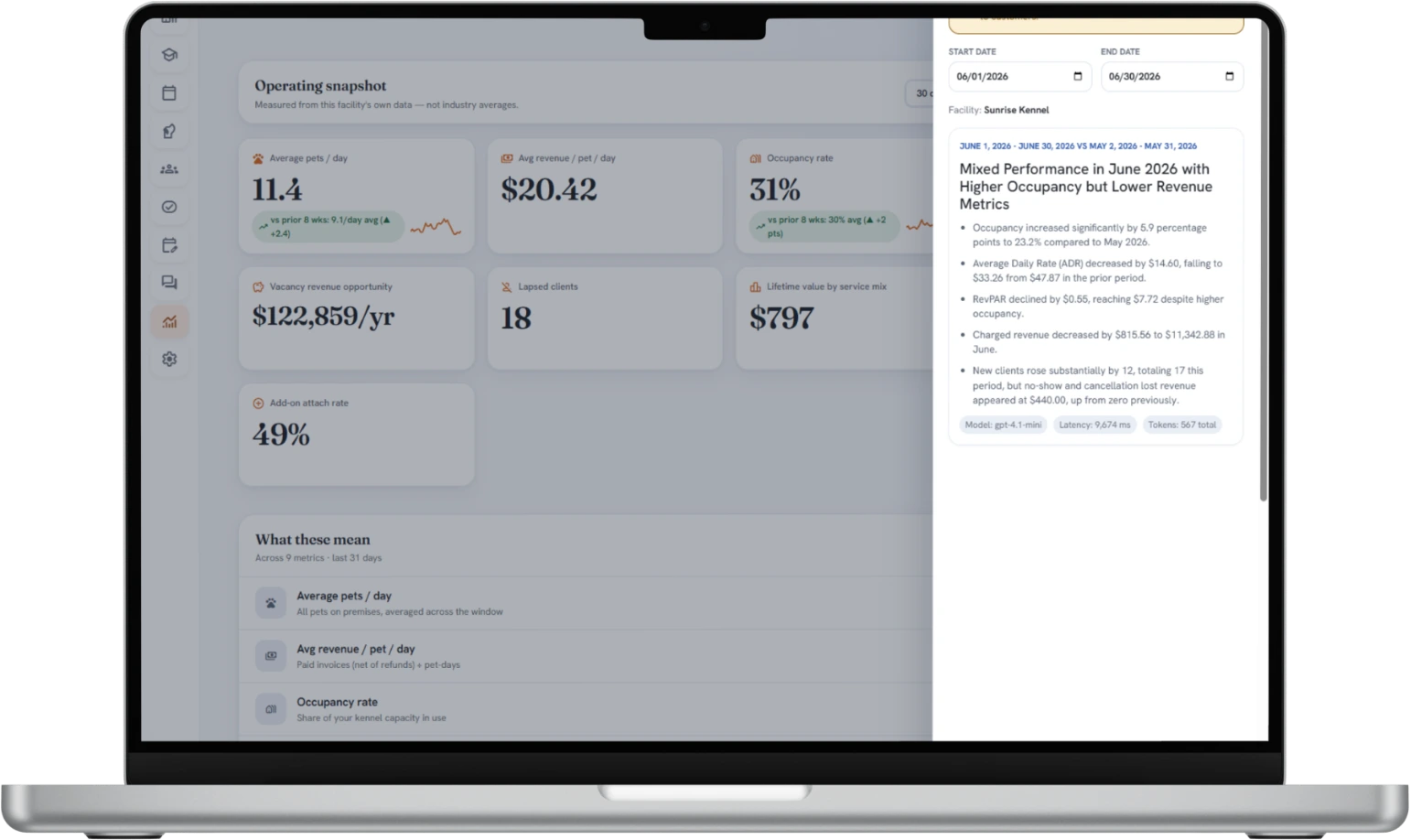
A glanceable grid of the management metrics operators actually run on — each its own card, each honest about how sure it is. Here's the shape of it.
Mean pets on premises per day across your window.
Records behind this · in the appPaid invoices, net of refunds, ÷ pet-days.
Records behind this · in the appBooked kennel-nights ÷ capacity from your active kennels.
Records behind this · in the appUnused kennel capacity, per service pool.
Records behind this · in the appIf you filled today's empty kennels, annualized.
Records behind this · in the appClients overdue vs their own visit cadence.
Worklist · in the appLifetime paid revenue grouped by each client's mix.
Records behind this · in the appReservations marked no-show ÷ total reservations.
Records behind this · in the appStays with at least one add-on ÷ total stays.
Records behind this · in the appComputed from your own data. Not a guarantee — these show you where to look first. That line sits on the real dashboard, too.
Plenty of dashboards throw a confident number on a tile and hope you don't ask how they got it. We do the opposite — because for the decisions that move real money, you deserve to know how sure the number is.
As close to fact as your data allows — a hard count from what's actually in your account. Occupancy, revenue per pet, no-shows.
Useful for sizing an opportunity, but it's a forecast, not money in the bank — and we say so. The annualized vacancy revenue opportunity.
A worklist or a flag — somewhere to look first, not a settled fact. Lapsed clients to re-engage; upsell headroom to chase.
Two links sit on every card. “How we got this” spells out the formula, the date window, and the data source. “See the N records behind this” opens the actual reservations or clients — in the app — so you can verify any number before you act on it.
Credit where it's due: the established platforms have deep, powerful reporting. Here's what each asks of you, side by side.
| What it takes | Most reporting suites | BarkWhiz Management KPIs |
|---|---|---|
| Getting to the number | Pick a metric, configure the report, run it — then repeat for the next one | Open the screen; the full management picture is already there |
| Setup | Choose fields, set filters and date ranges every time | Zero configuration — one selectable window for the whole grid |
| Assembling the management view | Run several separate reports, then stitch them together yourself | One screen, computed for you, recomputed when you change the window |
| Occupancy basis | Often a generic or manually-entered capacity | Your real kennel capacity, counted from your active kennels, per service pool |
| How confident is this number? | Usually unlabeled — a number is a number | Every card labeled Measured, Estimate, or Signal, in plain words |
| Show me the math | Buried in report logic, if it's shown at all | “How we got this” on every card: formula, window, source |
| Verify it | Export and reconcile by hand | “See the records” drills straight into the reservations or clients |
We won't claim nobody else does this — the reporting world is big and we haven't checked every corner. What we can say plainly: we haven't found another platform that hands an operator these numbers, with their work shown, in one no-setup view. If you've found one, tell us — we'd genuinely like to see it.
A leak calculator has to ask you to estimate your occupancy, your revenue per pet, the clients quietly slipping away — because legacy software records every booking and payment, then never adds them up. So go ahead and guess, right here:
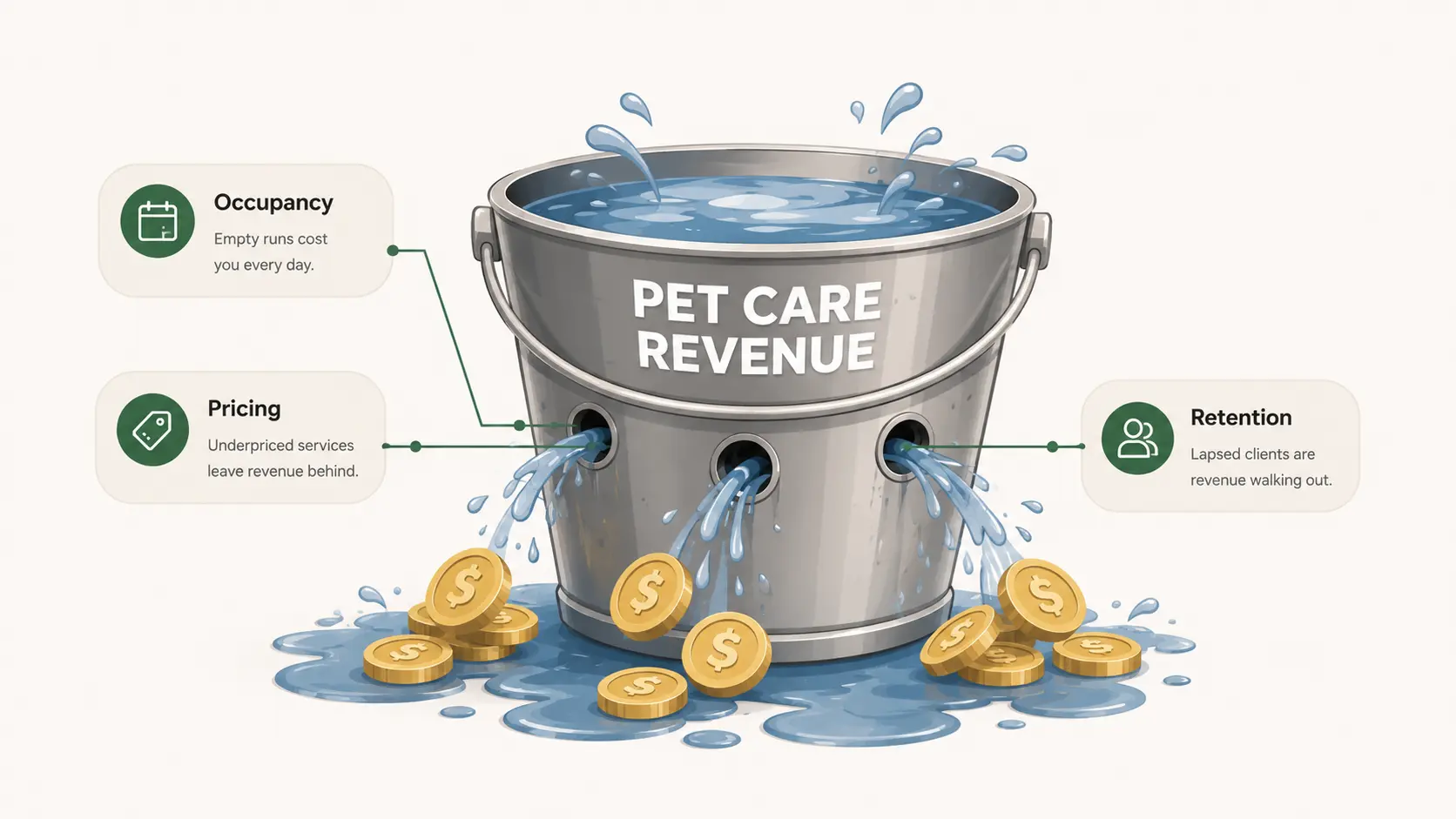
An estimate from your inputs and the assumptions above — not a guarantee. The whole point: in the app, you don't guess these at all.
That's the guess. Here's the payoff.
Management KPIs turns these same figures into measured numbers from your own data — occupancy from your real kennel capacity, revenue per pet from your paid invoices, lapsed clients against each client's own visit rhythm. No sliders, no inputs. See the measured version ↑
Stop guessing — measure the ~$52,800/yr
Become a Founding FacilityNo — that's the point. It's zero-configuration: no report to build, no fields to pick, no filters to set. You open the screen and the numbers are already computed from the data already in BarkWhiz. The only control is the time window — the header always shows which one you're reading — and everything recomputes when you change it.
Your own data — the reservations, kennels, and paid invoices already in BarkWhiz. Occupancy uses your real kennel capacity, counted from your active kennels, not an industry average. Revenue figures use your paid invoices, net of refunds. Lapsed clients are measured against each client's own visit cadence. Every card's “How we got this” shows the exact formula, the window, and the source.
Plain words for how solid a number is — not an “AI confidence” score. Measured is computed straight from your real records (occupancy, no-shows, revenue per pet). Estimate is modeled or projected, and labeled as such (like the annualized value of today's empty kennels). Signal is an indicator or worklist — a place to look first, not a settled fact (like lapsed clients to re-engage).
No — every figure on this page is an illustrative example, marked as such, the same way the calculators elsewhere on this site are framed as estimates. They show you the shape of the dashboard. Your real numbers, and the named clients behind them, live inside your account behind your login. We'd never put a real facility's private data on a public page, and the “See the records” drill-down is in-app only.
No — it's a re-engagement worklist, labeled Signal for exactly that reason. It surfaces clients who are overdue versus their own visit cadence, so you have a list to work, not a verdict. It shows where to look first, never a settled loss booked as fact.
The capable ones do, and their reporting suites run deep. The difference is they make you build each report and run them one at a time, then assemble the management picture yourself. We haven't found another platform that hands an operator this whole management view in one no-setup screen — most reporting tools make you build the report; this one hands you the answer.
Founding facilities receive Ops + CRM for $249/month, locked for 24 months. After that, they retain a permanent 15% discount from the then-current list price.
Plans start around $199/moFounding facilities receive Ops + CRM for $249/month, locked for 24 months. After that, they retain a permanent 15% discount from the then-current list price.
Not ready for a founding spot? Just keep me posted
See where capacity is going unused, which customers may be slipping away, and which records deserve attention first.
Occupancy, revenue per pet, refunds, and no-shows are calculated from the records already in BarkWhiz.
Modeled values are labeled clearly, so a vacancy projection never masquerades as booked revenue.
Lapsed-client and retention signals create a worklist for your team, not an automatic verdict.
AI assists with interpretation and recommended actions; your team decides what happens next. Every recommendation remains connected to the underlying records and the confidence label behind it.